Multi Channel sequences
Automated email, manual email, calls, LinkedIn profile visits, invites and messages, and condition steps in one flow of up to 24 steps.
Outreach, deliverability, replies, data and the tools around them, on one page. Search it, or scroll and watch the fleet rearrange itself for each part.
Email, LinkedIn and calls in one sequence — written once, sent at a human pace.
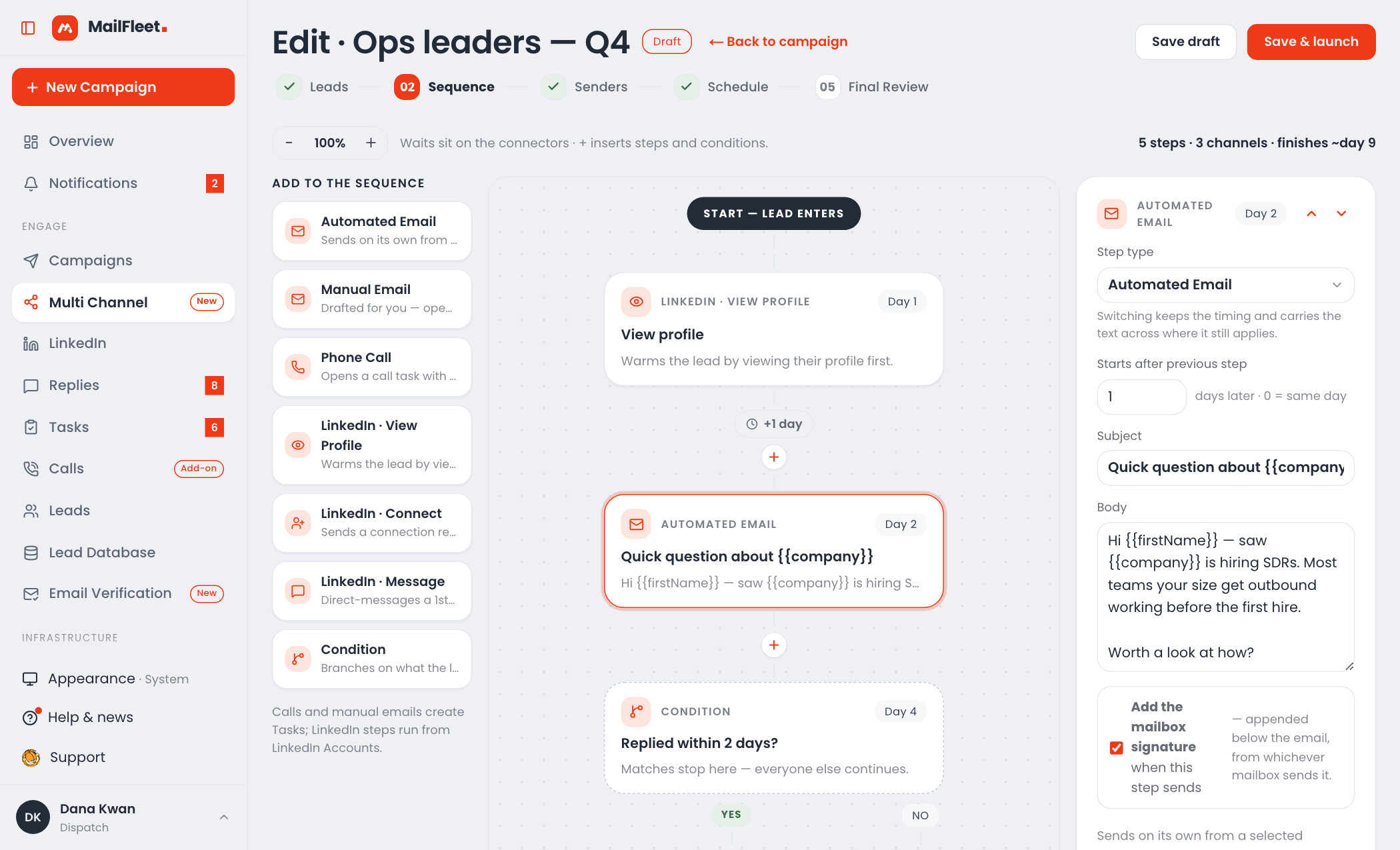
Automated email, manual email, calls, LinkedIn profile visits, invites and messages, and condition steps in one flow of up to 24 steps.
In Multi Channel, branch on whether a lead replied, opened, clicked or accepted your invite within a number of days. LinkedIn campaigns branch on accepted or replied.
Move a lead to a LinkedIn campaign when they open, click, reply or finish an email sequence without replying. The two never overlap.
Variables from any CSV column, fallbacks like {{first_name|there}} and spintax. If a field is empty with no fallback, that step is skipped for the lead instead of sending “Hi ,”.
Up to 5 versions of an email step, with a ★ on the winner once each has 10+ delivered and one clearly leads. Up to 4 for LinkedIn notes and messages.
Sending days and a window in the campaign’s timezone or each lead’s own, with jittered gaps between emails and a daily cap on new leads.
Sends rotate across the campaign’s active mailboxes; follow-ups stay on the same mailbox, in the same thread.
Deploy stays locked with no leads, no email written, no active mailbox, no sending day or missing SPF/DKIM — and you see how many sending days it takes to reach everyone.
20 invites, 35 messages and 50 profile visits a day per account by default, about 5 minutes apart. Messages wait for acceptance and count their wait from it.
Unlimited mailboxes, free warmup, and guardrails that catch problems before they cost you a domain.
IMAP/SMTP for any provider, and bulk CSV import — a Smartlead export works as-is. Every mailbox is verified as it’s added, and credentials are encrypted.
Other customers’ real mailboxes open, rescue from spam and reply, at the reply rate and ramp-up you set. It never uses credits or daily limits, and stays out of your reply queue.
A 0–100 health score per mailbox that names the first thing to fix, plus a checklist of warmup, DNS, tracking and sending checks — each with a fix button.
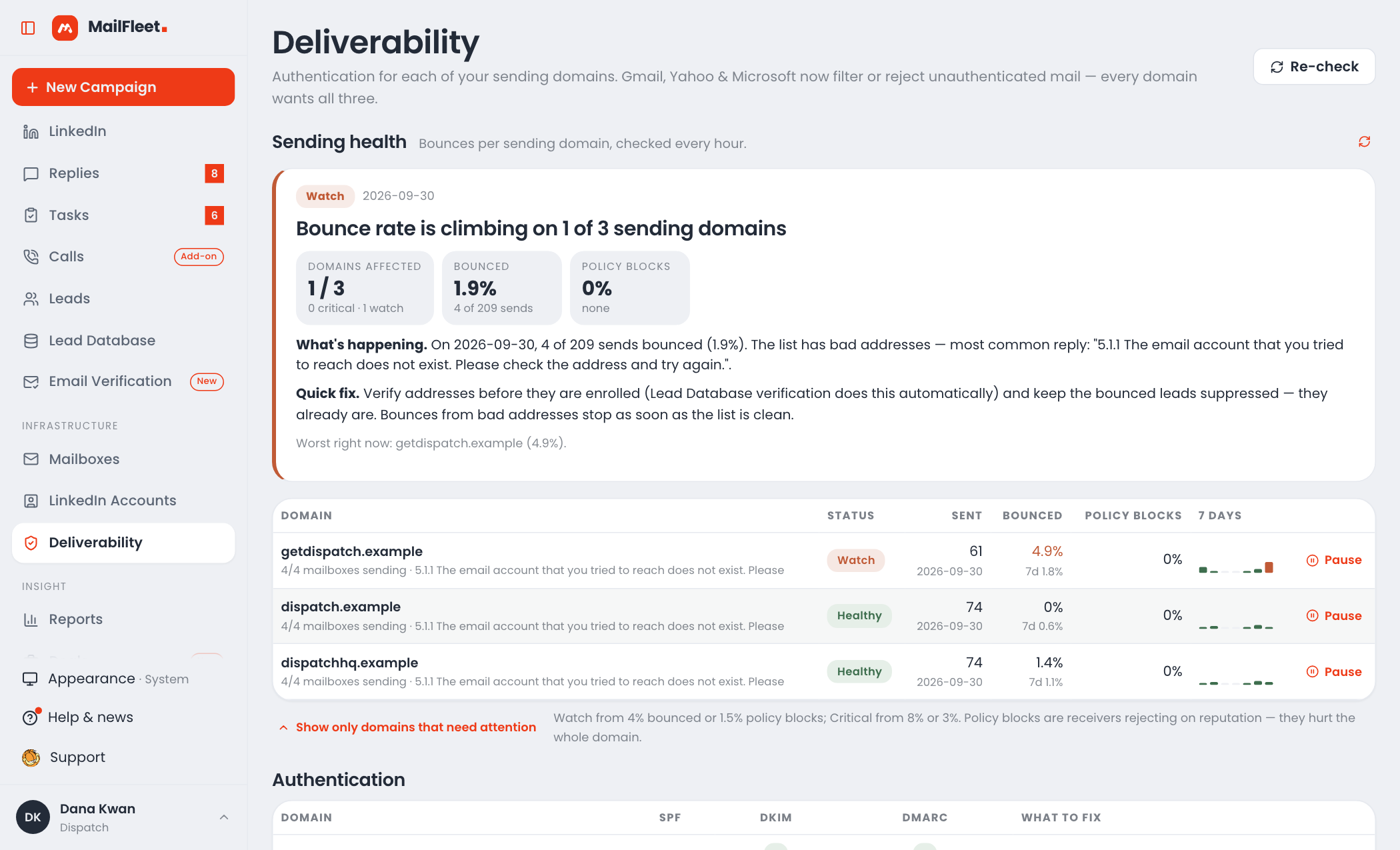
Bounces and spam blocks watched hourly on every sending domain, with the likely cause, the fix and a one-click pause.
Checked on every sending domain. A missing SPF or DKIM record blocks a launch; DMARC is recommended.
A network blip never disconnects a mailbox — only a real credential failure does, and then you’re told by email, an in-app notification and a banner.
Change limits, warmup, signatures and settings on up to 2,000 mailboxes at once.
A custom tracking domain with one CNAME, tracking off by default, and a one-click List-Unsubscribe header on every email.
Your own sending IPs: 1 on Pro, 3 on Scale.
Pro · ScaleWhere each mailbox’s warmup emails landed over 7, 14 or 30 days, with a verdict for each mailbox.
One inbox for every answer, and the pipeline, tasks and calls that follow it.
Every mailbox and LinkedIn account in one place. Mailboxes are checked about every 30 seconds, spam folders included; LinkedIn inboxes every 20 minutes.
Interested, Meeting request, Question, Not now, Not interested, Out of office, Wrong person and Referral — plus labels of your own.
A real reply stops that person’s sequences in every campaign they’re in, and a reply read as Not interested unsubscribes them.
The return date is read from the auto-reply, and every remaining step and task for that person waits until then.
A spam or policy block isn’t a bounce: the lead stays, and their next step goes three days later.
Same address, signature and attachments. Forward it, add a task, call the lead, or block a lead or a whole domain.
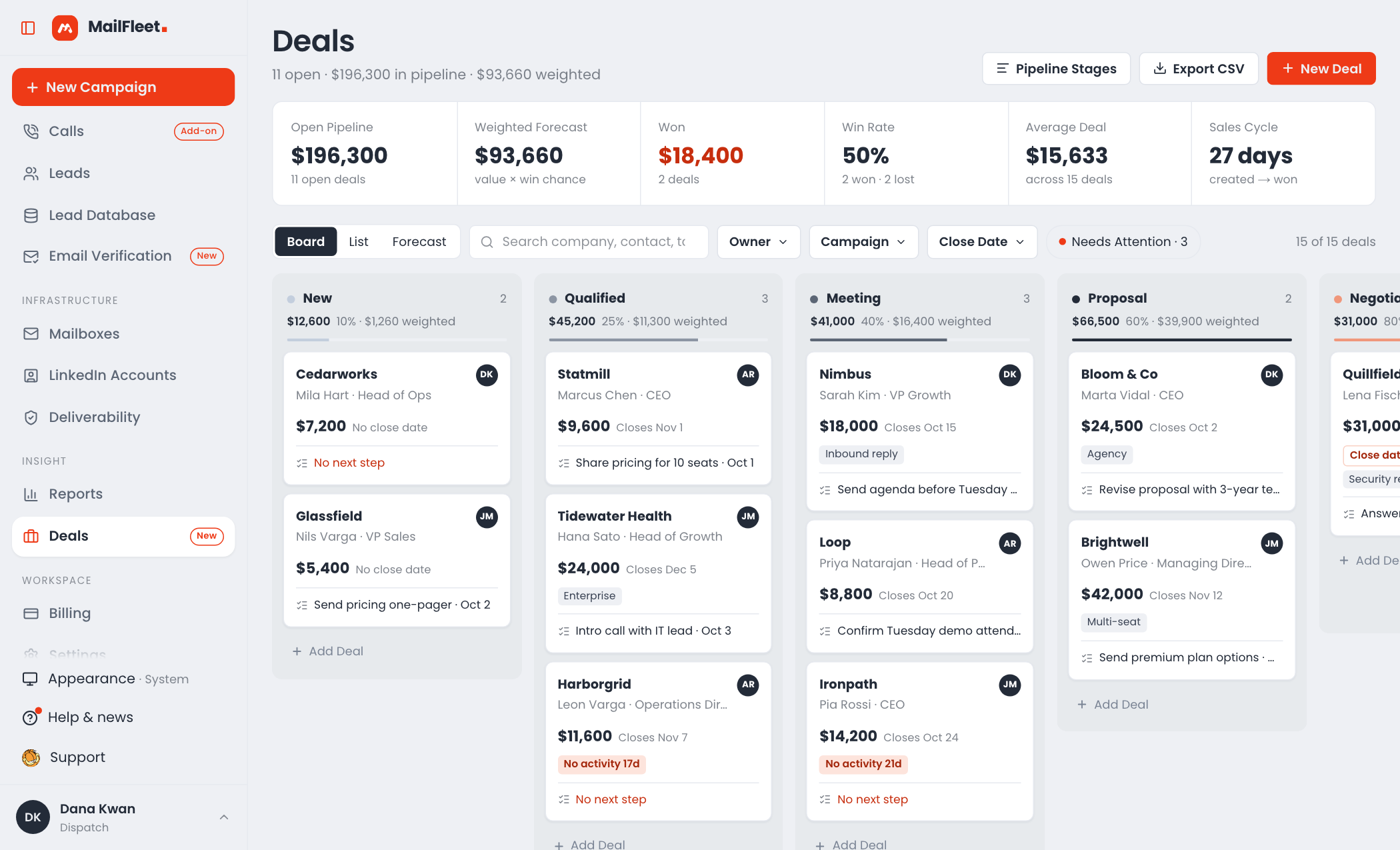
Create a deal from a reply with company, contact, campaign and owner filled in. Drag it through your stages, with a weighted forecast and stale deals flagged.
Manual email and call steps, filtered into overdue, today and later. Email drafts arrive filled in and go out in the same thread; skip or snooze a task in a click or two.
Call a lead from the browser, see their local time, follow a script filled with their details and log the outcome.
Add-onForward replies to a default address or per-mailbox rules. Each reply belongs to whoever launched the campaign, and can be reassigned.
People to reach, and every address checked before it costs you anything.
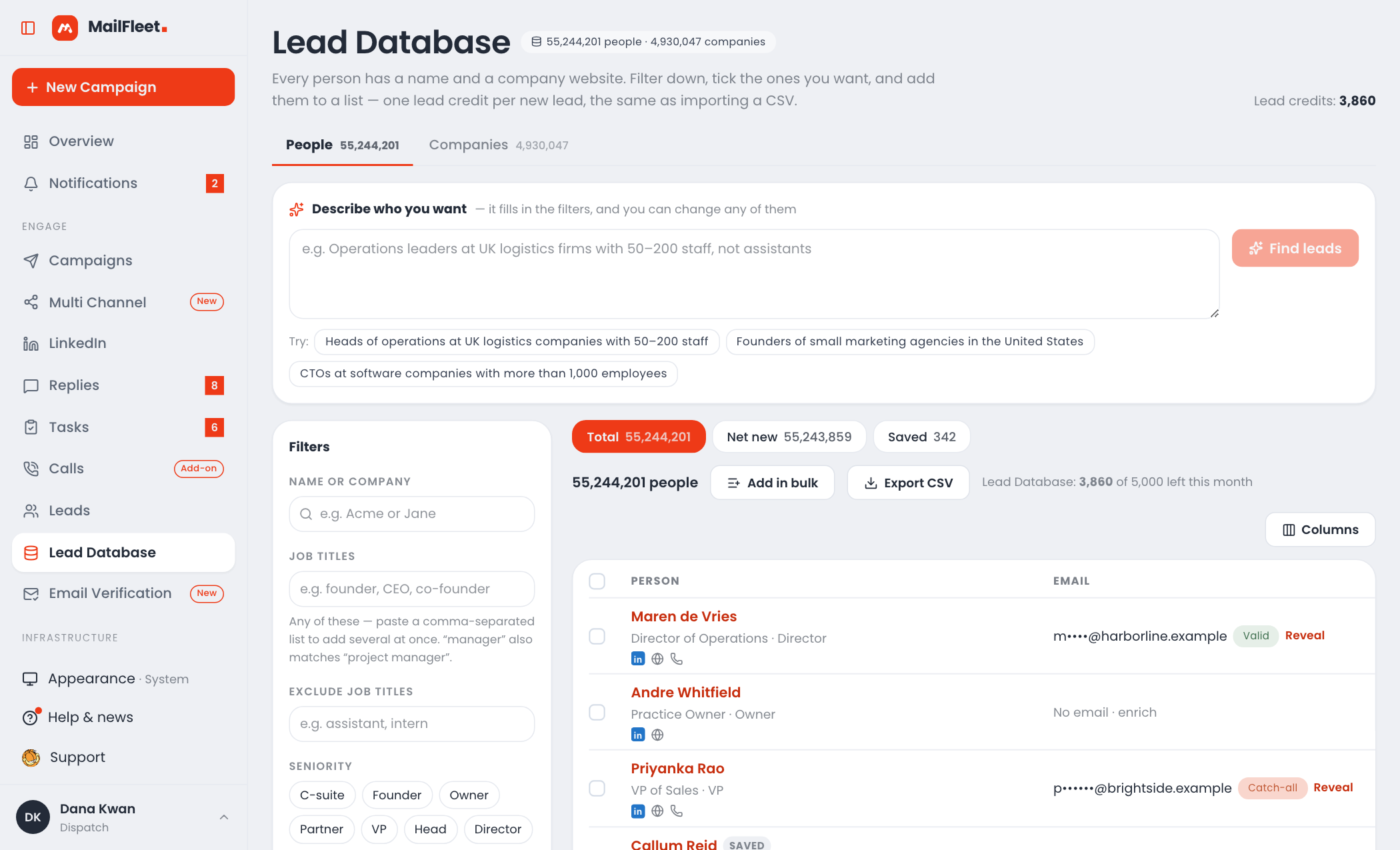
Filter by title (similar titles matched), seniority, country and state, industry, company size, and whether there’s an email or phone.
Each address is checked against its mail server when you reveal it: Valid, Invalid, Catch-all or Unknown.
You’re never charged twice for the same person; Total, Net new and Saved tabs keep it clear.
Two people per company by default; people with no email or an invalid one, blocked people and people you already have are skipped. Export to CSV.
Check a CSV, up to 5,000 pasted emails or a list — or verify during import — then choose which of 10 result statuses go out. 300 a day on Pro, 1,000 on Scale.
Pro · ScaleFiles up to 80 MB, columns mapped automatically, deduped across the workspace. Suppressed people are never revived.
Block emails or whole domains — up to 200,000 lines in one upload — enforced at import, enrolment and send. Bounced and unsubscribed people are never emailed again.
Strict matching fills in missing profiles: 100, 1,000 or 10,000 a month, by plan.
Personal mobiles and direct lines only — never a switchboard — using your own Apollo key.
The numbers, the integrations, and room for everyone on the team.
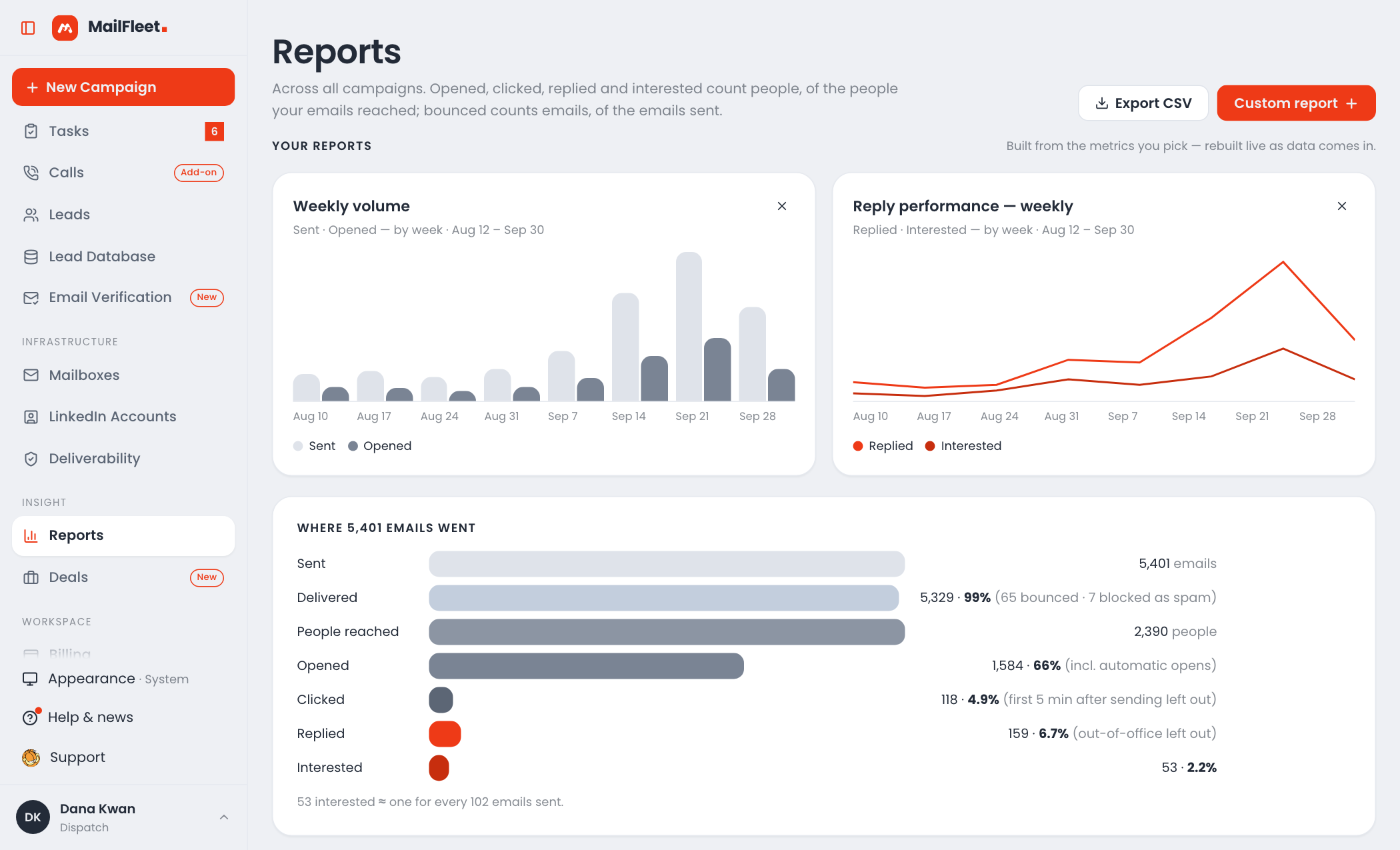
Emails sent, replies waiting, the share that landed, sender health and what’s due next, for 7, 14 or 30 days or any date range.
Eight headline numbers, reach by day including what’s scheduled, per-step and per-variant results, and the value of deals won.
Funnel, per-campaign rates and sender volume, plus live chart cards you build yourself. Export to CSV.
Read everything; create and run campaigns, add and enrol leads, and send replies. Read-only and read-write keys.
Pro · Scale13 events including deal events — signed, retried from 1 minute up to 24 hours apart, with a 30-day delivery log.
Search the workspace, build campaigns, add leads, start or pause, and send replies — from a Claude conversation.
Pro · ScaleNo per-seat price. Invite by link; invitations last 7 days.
Search campaigns, leads, replies and deals at once, choose which alerts are emailed, and run it all from a phone.